UX/UI Fundamentals for Designing Intuitive Apps
Have you ever downloaded an app and deleted it within seconds because you didn't understand how to use it? That is the result of poor UX (User Experience) and UI (User Interface) design. In a market as competitive as Panama, where companies fight for digital attention, mastering these fundamentals is the difference between success and oblivion.
At Crezendo, we believe technology should be human. That's why we integrate user-centered design principles into all our software development and digital entrepreneurship programs.
UX vs. UI: What's the Difference?
They are often used as synonyms, but they represent different (though inseparable) aspects of design:
- UX (User Experience): Focuses on the "feeling" and logic behind the application. Its goal is for the user to solve their problem in the simplest, most efficient, and most pleasant way possible. It is the skeleton and brain of the product.
- UI (User Interface): Focuses on the visual. It's the colors, typography, buttons, and images the user sees and interacts with. It is the skin and clothing of the product.
A classic example: If an app is a car, UX is how it feels to drive, the comfort of the seat, and the ease of finding the pedals. UI is the paint color, the dashboard design, and the style of the wheels.
Fundamental Principles for Intuitive Apps
If you're designing your first app in Panama, follow these golden rules:
- Know Your User: Don't design for yourself. Research what the average Panamanian needs: Do they use a lot of mobile data? Do they prefer dark mode? What real problems do they want to solve with your app?
- Simplicity is Power: Less is more. If a task can be done in two clicks, don't force the user to take five. Eliminate unnecessary distractions.
- Visual Consistency: Use the same colors and button styles throughout the application. This builds trust and reduces the user's learning curve.
- Immediate Feedback: Every time the user presses a button, something should happen (a color change, an animation, or a sound). The user should never have to wonder: "Did I click it?".
- Accessibility: Ensure that people with visual or motor impairments can use your app. This is not only ethical but also greatly expands your market.
The Design Process at Crezendo
In our workshops, we teach a professional workflow to turn your ideas into real products:
- Research: Understanding the problem and defining who we are helping.
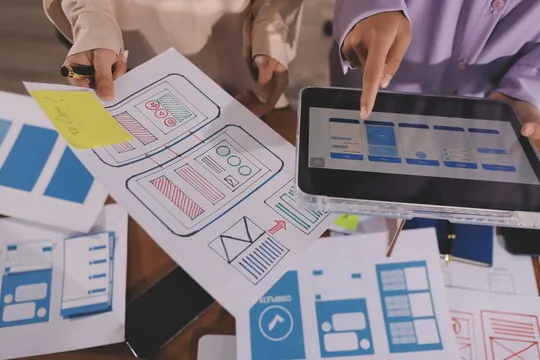
- Wireframing: Creating quick sketches on paper or digital tools to define the structure without being distracted by colors.
- Prototyping: Creating an interactive version (using tools like Figma) to test the logic before writing a single line of code.
- User Testing: Observing real people using the prototype to identify where they get confused.
Why Train in UX/UI in Panama?
The demand for product designers and UX/UI specialists is exploding in the region. From banks to new startups in the City of Knowledge, everyone needs professionals who understand how to retain users through intelligent design.
Ready to design the next big app in Panama? At Crezendo, we give you the tools and mentorship needed to go from idea to interface. Contact us today to enroll in our upcoming digital design and user experience workshops. Make your technology irresistible!