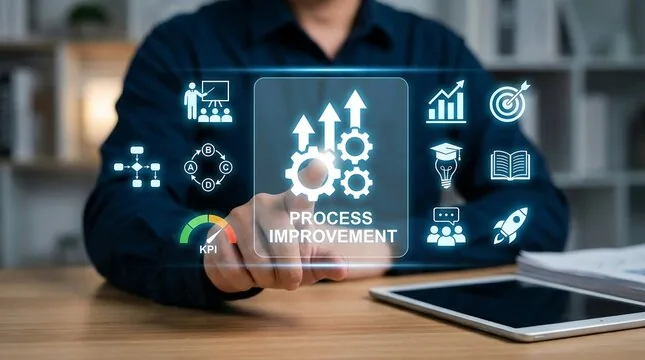
Every morning you do the same thing. Copy data from an email into a spreadsheet. Format a report that always has the same structure. Send reminders to the same people. Download files and rename them with today's date.
If you spend 30 minutes a day on tasks a machine could do in 3 seconds, you're losing over 10 hours a month. That's almost a day and a half of work you could invest in something that actually matters.
The good news: you don't need to be a programmer to automate. There are tools designed exactly for people like you.
Level 1: No-code automation
Zapier
Zapier connects apps to each other using simple rules: "when this happens, do that." It's called a "Zap."
Real examples for a Panamanian office:
- When a client fills out the contact form on your website → create a row in Google Sheets with their data
- When you receive an email with an attachment → automatically save it to a Google Drive folder
- When someone books a meeting on Calendly → send a Slack message to the team
- When a task is created in Trello → send an email reminder
Zapier has a free plan with 100 executions per month. For a small business it's enough to get started.
IFTTT
Simpler than Zapier. Works with pre-made "applets." Less flexible, but ideal for basic automations between 2 services.
Level 2: Spreadsheet automation
Excel macros
If you use Excel daily, macros are your best friend. A macro records a sequence of actions and repeats them with a click.
How to create your first macro:
- Open Excel and go to the "Developer" tab (if you don't see it, enable it in Options → Customize Ribbon)
- Click "Record Macro"
- Perform the actions you want to automate (format, sort data, create a chart)
- Stop recording
- Now you can repeat all of that by clicking "Macros" → "Run"
You don't need to write code. Just record what you do. If you ever want to go further, the macro editor (VBA) lets you customize everything, but that's optional.
Google Sheets with advanced formulas
Google Sheets has functions that seem like magic:
- IMPORTRANGE: Pulls data from another spreadsheet automatically
- QUERY: Filters and sorts data as if you were using SQL (without knowing SQL)
- GOOGLEFINANCE: Pulls stock quotes and exchange rates in real time
- ARRAYFORMULA: Applies a formula to an entire column at once
Combine these functions and you can have dashboards that update themselves without touching anything.
Level 3: Automation with a little code
Google Apps Script
It's JavaScript, but for Google Sheets, Docs, and Gmail. Nothing to install: open the editor inside Google Sheets (Extensions → Apps Script) and write code that interacts with your documents.
Example: a script that every Monday at 8am automatically sends an email with the weekly sales summary. It's about 15 lines of code.
Basic Python
If you dare to learn a bit of Python (the friendliest way to get into programming), the possibilities multiply:
- Download files from the internet automatically
- Process hundreds of Excel files at once
- Send personalized emails to a contact list
- Extract data from web pages (web scraping)
Python is learned in weeks, not years. And once you master it, you save hours every day.
How much time can you save
Try this exercise: for one week, write down everything you do that's repetitive. At the end of the week, add up the hours. That number is your automation opportunity.
Most people discover they spend 20% to 40% of their workday on repetitive tasks. If you work 40 hours a week, automating 25% gives you back 10 hours. Ten hours to think, create, sell, plan — the things humans do better than machines.
Start today
Pick one task you do every day. Find out how to automate it. Spend an hour on it. If it works, you'll have one less hour of daily work starting tomorrow. If it doesn't, you learned something new.
At Crezendo we teach practical automation in our productivity and technology workshops. No prior experience needed — we start from the basics and move at your pace.
-->
Want to reclaim hours from your workday? At Crezendo we teach automation and digital productivity workshops for professionals and businesses. Contact us to learn more.